
A family tree that requires two people to agree
Your whole family, on one tree — confirmed by everyone on it.
Name your parents, partner and siblings in a minute, send each one a WhatsApp link, and watch the tree grow as they add their own branches. Every link is confirmed by both people, so it stays accurate for generations.
Set up in 60 seconds · No card needed · Private by default
- 5
- tree layouts
- 4
- privacy circles
- 16
- milestone badges
Take the tour
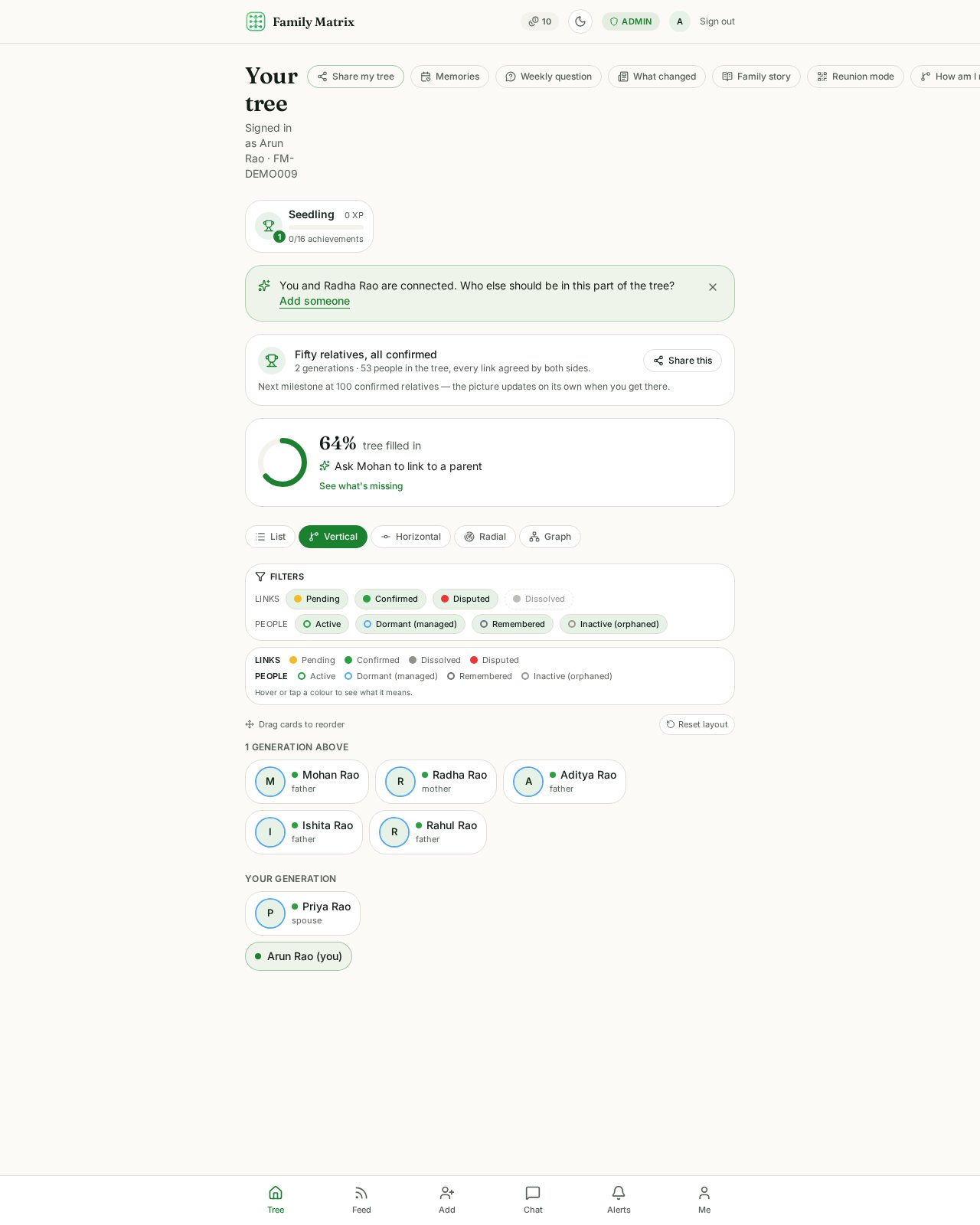
Meet the Rao family — 53 people, 5 generations
Step 1 of 4
The whole family on one tree
Great-grandparents at the top, grandchildren at the bottom. Every one of these 53 people confirmed their own link — nobody was added without saying yes.
The process
Four steps from empty tree to living family graph
Every step is designed so no one is added, changed or removed without the people involved knowing about it.
- Step 1
Add a relative
Enter their name and relationship type. If they aren't on the app yet, a managed profile is created for them.
- Step 2
Send the invite
Share a secure single-use link over WhatsApp, SMS, email or a copied link. Resend anytime with a fresh token.
- Step 3
They confirm
Both sides review the claim in Pending Confirmations. Only mutual consent turns an edge confirmed.
- Step 4
The graph grows
Confirmed edges merge into one shared graph, so your relatives' relatives become discoverable paths.
Generations
From grandparents to grandchildren, on one canvas
Family Matrix maps every generation as part of the same connected graph, so an added grandparent instantly links cousins you'd never have charted by hand.
Relationship types you can record
Blood, marriage, step, adoptive and guardianship links — each with its own status and consent trail.
Parents
Siblings
Spouse
Children
Cousins
In-laws
Relationship lifecycle
Statuses change. History never disappears.
A relationship moves through clear states, and every transition is written to your activity log with who initiated it and when.
- 1
Pending
Proposed, not yet agreed
- 2
Confirmed
Both people agreed
- 3
Disputed
One side flags an issue
- 4
Dissolved
Ended, never deleted
Dissolving a confirmed edge takes two deliberate steps: an impact review that lists the relatives and paths affected, then a typed confirmation. Records are preserved, never deleted.
Try it
Click through a relationship, step by step
This is a live sandbox — no account needed. Play the role of both people and watch the edge and the audit trail change with every action.
No relationship yet
Ravi wants to add Meera as his sister. Nothing appears in the shared graph until he sends the request.
Activity log
Every transition is appended here — it can't be edited or removed.
- Nothing logged yet. Take an action to see how the audit trail builds up.
Privacy circles
Label every relative, then decide what each label can see
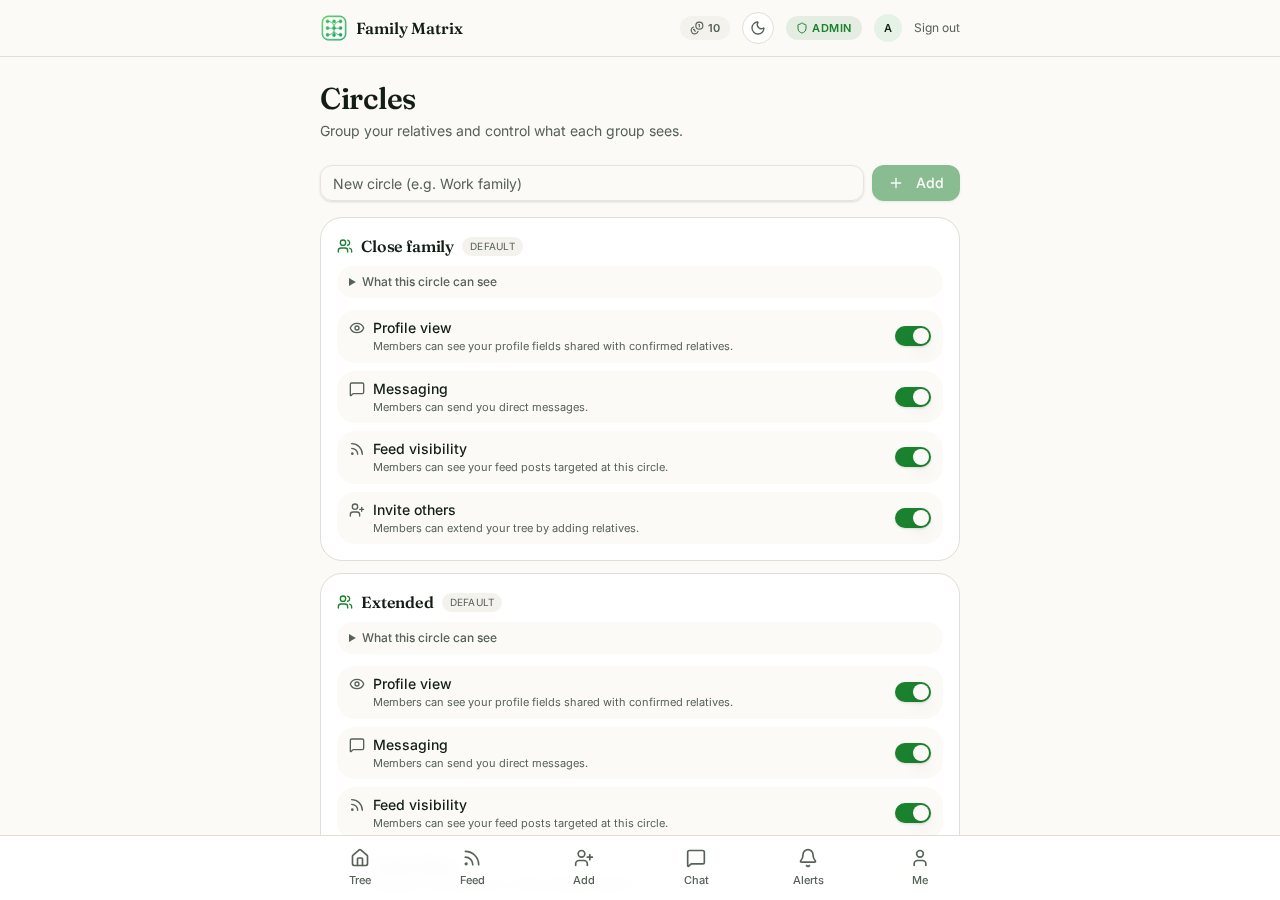
Close family, extended, long relations and friends. Each circle has its own switches for profile visibility, direct messaging and feed access.
- Profile fields hidden per circle — contact details stay with close family only.
- Messaging permission is enforced at the database level, not just in the UI.
- Posts and stories are published to the circles you pick, one post at a time.
What each circle sees by default
- Close family
- Everything on your profile — birthday, phone, email, blood group and native place. They can message you, see every post and story you share with family, and add relatives on your tree.
- Extended
- Your name, photo, birthday and native place. They can message you and see posts shared with Extended. Contact details stay hidden, and they cannot add people to your tree.
- Long relations
- Distant kin you recognise but rarely speak to: name, photo and how you are related only. No contact details, no messaging, and they see only posts you mark public to the tree.
- Friends
- People outside the bloodline. Name and photo only, messaging on, feed limited to posts you address to Friends. They never appear as relatives in anyone's tree.
These are the starting settings. Every permission can be changed per circle, and you can create your own circles.
Visualisation
Five ways to look at the same family
Switch layouts anytime. Drag nodes to reposition them, pinch to zoom and pan across large trees — your layout is remembered per view.
Inside the app
Real screens, not mock-ups
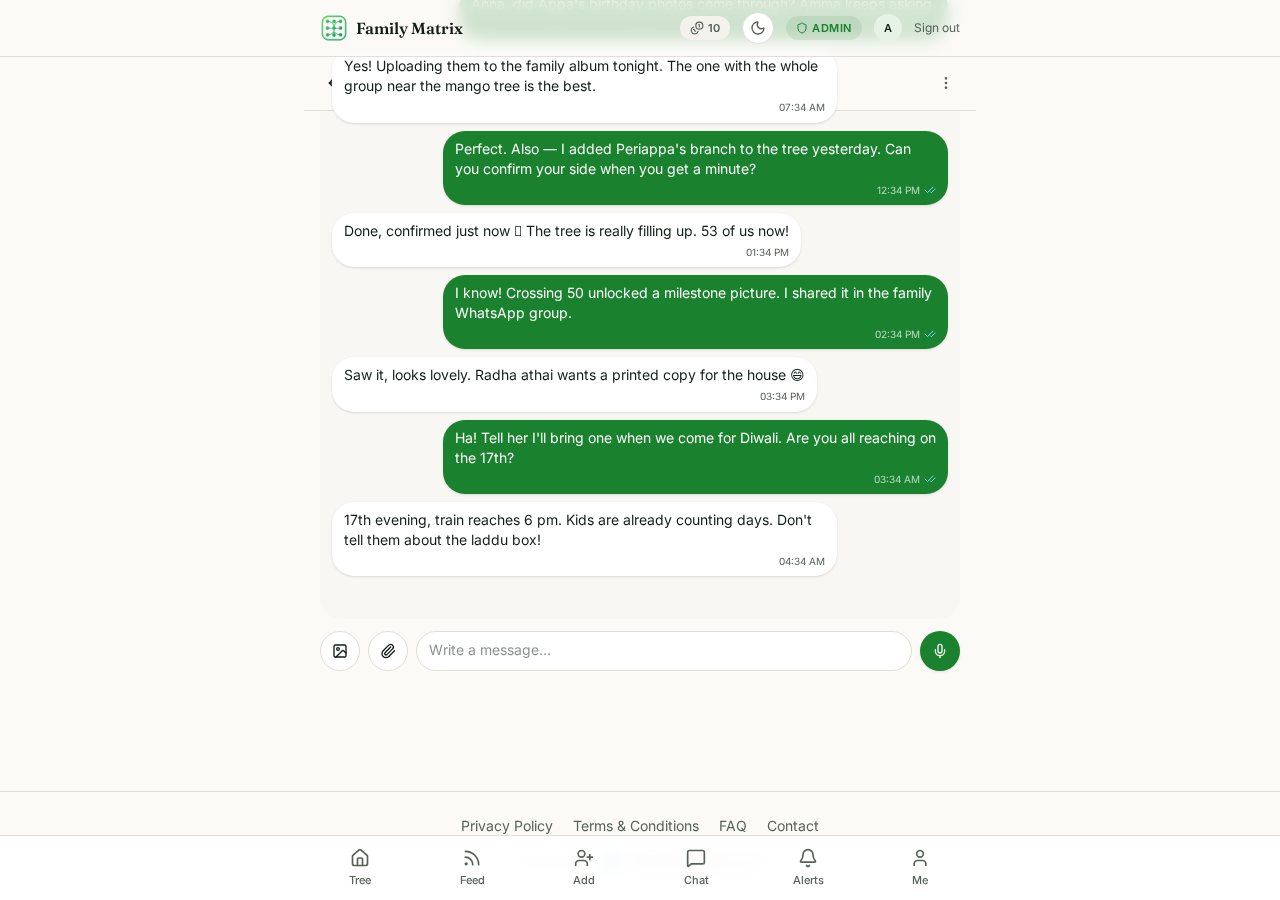
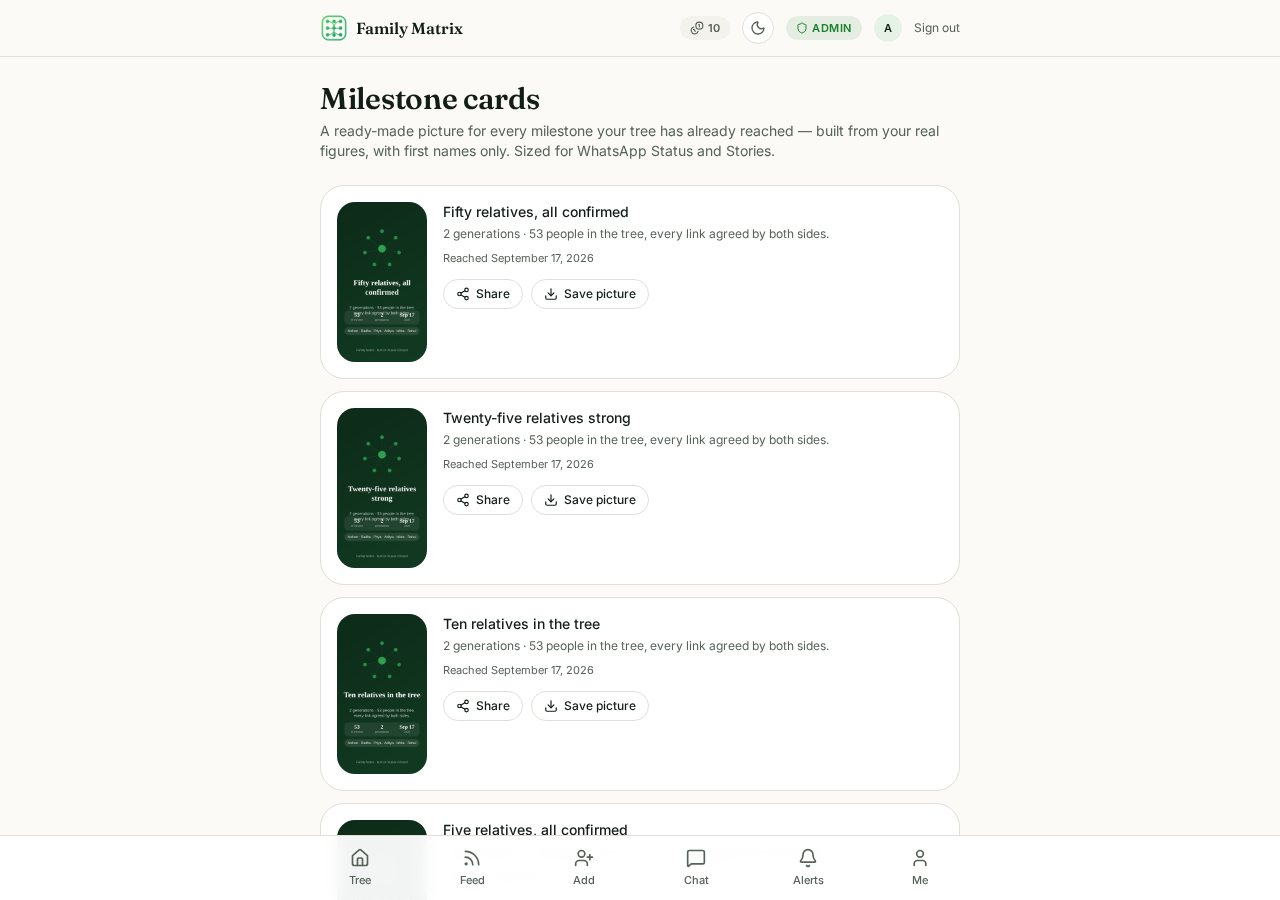
Captured from a live family tree — everyday chat with relatives, and milestone pictures your tree earns as it grows.
Everything included
A family network, not just a chart
Family Matrix combines the rigour of a genealogy graph with the everyday tools families actually use.
A shared graph
Relationships are two-way, not solo entries. Both sides see the same truth.
Consent first
Someone claims you as their sibling? You approve it before it becomes real.
Nothing gets erased
Divorce or estrangement changes status — history isn't rewritten.
Family chat
One-to-one and group chats with media, built for the people already in your tree.
Feed & stories
Share updates and photo stories scoped to the circles you choose.
Notifications inbox
Confirmations, mentions and replies in one list you can filter and mark read.
Milestones & XP
Unlock badges as your tree grows, with a chronological achievements feed.
Blocking & reporting
Stop or report abusive interactions instantly, in both directions.
Installable PWA
Add it to your home screen — offline-ready, no app store required.
Keeping track
Quiet markers for how far your family record has come
Each relative recorded and each confirmation received is noted as a milestone, with the date it happened, so you can see how the family came together over time.
Family histories hold loss and estrangement as well as celebration. Milestones are deliberately understated, never compare one family with another, and can be switched off completely in your profile settings if you'd rather not see them at all.
1952
Grandparents married
1981
Second generation born
2009
Cousins reconnect
Today
Tree confirmed together
Privacy & security
Built so the database enforces the rules
Access control lives in row-level security policies, not just in the interface.
Row-level security
Every table is default-deny. You only ever read rows your circles permit.
Append-only audit trail
Activity events can't be edited or deleted, by you or anyone else.
Private media storage
Avatars, chat media and story files live in private buckets with per-path access.
FAQ
Questions families ask
Can someone add me to their tree without asking?
They can propose the relationship, but it stays pending until you confirm it. Nothing appears as a real connection in the shared graph without both people agreeing.
What happens if a relationship ends?
Nothing is deleted. You can dispute a relationship or dissolve it after a two-step confirmation. The edge stays in history with its status changed, and the change is written to your activity log.
I received a request I never made — can I remove it?
Yes. Pending requests show whether they were sent by you or claimed about you. You can cancel your own request or mark an incoming one as "not related"; the record is kept as dissolved for the audit trail.
Who can see my profile and posts?
You assign every relative to a circle — close family, extended, long relations or friends — and each circle controls profile visibility, messaging and feed access separately.
Can I block or report someone?
Yes. Any profile or chat has a safety menu for blocking and reporting. Blocking removes messaging and feed access immediately in both directions.
Where are my photos and chat media stored?
Avatars, chat media, post media and stories are kept in private storage buckets with per-path access rules, so only people your circles allow can load them.
Start with one relative.
Add someone you know is on your side, send the invite, and let the graph grow from there.
Create your free accountFamily Matrix is live and open to everyone. Free to start — you only pay ₹10 when you add a brand-new person to the tree. Built and run in India by SG PR Infotech LLP; write to sgprinfotech@gmail.com and a human answers.